




Choosing the Right Server Location

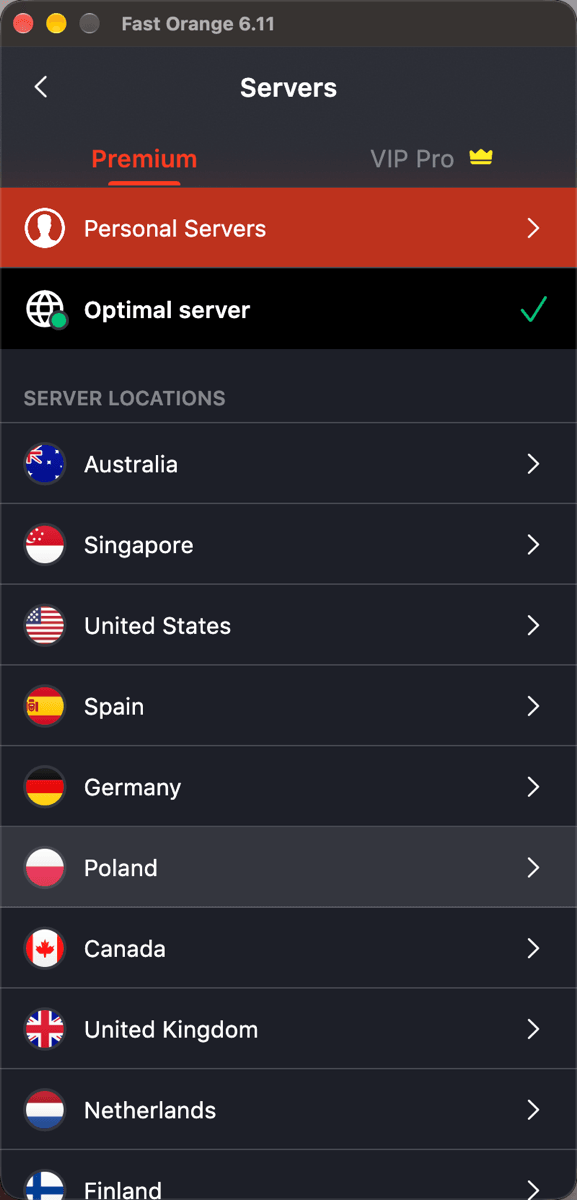
The client shows a list of regions: Japan, the US, Singapore, and more. Which one should you actually pick? Here is how location actually shapes what you experience, what a few common regions tend to suit, and why picking one beats checking a ranking.



Which region fits best has an honest answer: there is no region that is best everywhere, only one that fits what you are actually doing right now. Picking a node is really about finding a reasonably good path between where you are going and where you are, not picking whichever option sits at the top of some ranking.
That is also why searches like "VPN Japan" or "US server" stay so common. Underneath, people are asking versions of the same question: does this region fit what I need right now. This article starts with how location shapes what you experience, moves through what a few common regions tend to suit, and finishes with what switching regions cannot fix. By the end you should have a standard to apply yourself, instead of picking at random.
One thing worth stating up front: "region" here means where the VPN node sits, not where you are. The two get conflated constantly, but it is the node's region that decides latency and how content gets judged; your own location only affects how long the leg to that node is. What an IP address actually is covers the link between an address and that regional judgment; this article picks up from there and covers choosing the region itself.
There's no "best" region, only one that fits right now
"Which region is best" asks the wrong question from the start. The same region can suit gaming perfectly while taking a long detour to reach some other specific service. Whether it fits depends on where you are actually headed once connected, not on some fixed ranking the node itself carries.
The standard is simple: work out which service this connection is mainly for, and pick a region with short network distance and direct routing to it. That beats picking whichever option sounds most impressive, and it applies to any situation without needing to memorise a chart.
Here's an example. The same person watching Japanese anime or shopping on a Japanese site does well on a Japan node; later that evening, wanting to watch something on a Western streaming platform, that same person might need to switch to a US node. Region choice follows "where am I headed this time," not a single pick that lasts forever. There is no universal region that, once set, never needs touching again.
How location actually shapes what you experience
Two things decide the experience: latency and how content gets judged. Latency comes down to network distance. As why the internet is slow reaching overseas sites covers, network distance does not map cleanly onto a straight line on a map; what matters is how many networks get crossed and whether the routing is direct. Picking a region with short network distance to the service you actually want genuinely lowers latency.
How content gets judged comes down to the IP address that region presents to the outside world. A destination site sees a connection coming from that region and serves whatever content or service matches it. In other words, picking a region does two things at once: finding a decent path, and making yourself "appear" to be somewhere that fits. Both usually need to line up for the choice to actually be the right one.
The two can pull in different directions. A region might sit at short network distance, but the destination judges by the region on file at account registration rather than the connecting address alone. In that case, switching a node only solves half the problem; the other half needs adjusting on the account side, which a node switch alone cannot reach.
Common regions, and what they tend to suit
Here are a few common regions as a reference point. What any one person actually experiences still depends on where the target service sits and where that person is.
| Region | Common use | Typical latency feel |
|---|---|---|
| Japan | Japan-based services, some gaming and anime content | Usually low for most of East Asia |
| Singapore | Services covering Southeast Asia | Usually low for Southeast Asia |
| United States | Broad Western services | Usually higher for Asia-Pacific, given the trans-Pacific distance involved |
| Hong Kong | Scenarios wanting a network environment close to East Asia | Usually low for southern China and nearby areas |
The word "usually" in that table matters. What any individual actually measures on the same region varies with their own local network and the state of the route at that moment. Treat this as a starting reference, not an absolute ranking.
Japan comes up on its own more than most regions. For users across mainland China and the rest of East Asia, network distance to Japan tends to be short, and latency-sensitive content like gaming and anime tends to feel noticeably better there. That is exactly why "VPN Japan" gets searched together so often. It is not some special technical edge Japan has; it is simply geography and network topology working in its favour.
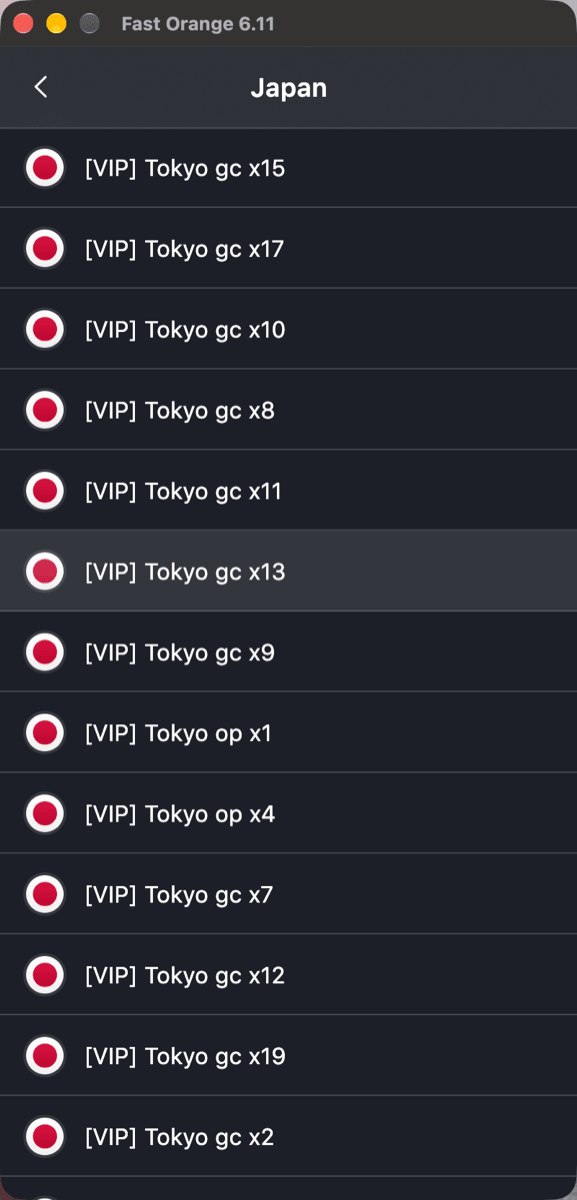
Inside a country the list goes one level deeper: Japan opens into individual Tokyo nodes. Picking a specific one is what makes a good result repeatable, instead of landing on a different route every session.
Where you actually run into this
The most common scenario is game matchmaking. A matchmaking system sorts you into a regional server based on the connecting region, so switching regions switches which matchmaking pool you land in. This is exactly the address-to-region mapping covered in what an IP address actually is, showing up in its most direct form. Connecting through a region at short network distance from the same game's servers usually means opponents with comparable latency too, which is exactly why plenty of players study which region to sit on.
Another one is a content library changing with region. Switch regions and the list you see can change, provided the platform judges purely by the connecting region with nothing else, like the account's registration region, layered on top. That caveat has come up in earlier articles too; it is not unique to this one.
Account security deserves its own mention: banking and payment accounts that detect a login region different from usual may proactively demand extra verification. That is the site's own risk system reacting, not a sign the region was chosen wrong, and completing the verification once is usually all it takes to continue. If everything feels generally unstable after switching regions, it's worth checking whether the actual cause sits at one of the other layers covered in VPN connected but no internet: fix it in order; region is only one variable among several.
One more easily missed case: travelling to a different country and still connecting back to the region you are used to out of habit, instead of the one now geographically close. Latency can climb noticeably in that situation, because "the region I usually use" and "the region actually close right now" have quietly stopped being the same thing. Testing again based on where you actually are tends to beat sticking with an old habit.
What switching regions cannot fix
Switching regions improves routing quality and how you appear from the outside. It cannot do the following.
- It cannot fix a problem at the destination itself. If the other server is genuinely slow to respond or having an outage, every region will feel equally stuck. Why the internet is slow reaching overseas sites covers that kind of bottleneck specifically.
- It cannot get around a restriction tied to the account. Some restrictions are bound to the account itself rather than the connecting region, and no region switch changes that restricted state, no matter how many regions get tried.
- It should not get switched constantly across a wide range. Logging into the same account from several regions in a short window tends to get flagged as unusual by a destination's risk system. Switching when there is an actual reason to, rather than every few minutes, is the safer habit.
- It does not guarantee "switching automatically means faster." If the original region was already the best fit, a switch can make routing worse rather than better. Testing once beats switching repeatedly just to see. VPN running slow: six places to check first covers the fuller troubleshooting path.
In summary
Choosing a server location has no universal answer, only an answer that fits what you are actually doing: work out which service you mainly need, and pick a region with short network distance and direct routing to it. That beats picking by ranking or by whichever name sounds most impressive. Switching across many regions in quick succession tends to trigger account risk systems, so switch when you need to and leave it otherwise.
FastOrange's nodes span multiple regions, switching in one tap, with no manual route configuration and no guessing which one is faster. See what it does for the fuller picture. Every registered account gets free trial time daily, so test a round based on what you actually use it for. That beats any ranking you could read.


 High speed
 Millions of users
 24/7 Support
Get the Fast Orange App
One App. Every Platform. A More Stable Connection.
Available for Windows, macOS, Android, and iOS. Use One Account Across All Your Devices and Start with a Free Trial.
High speedMillions of users24/7 SupportDownload Fast Orange
 Choose your platform
Download Fast Orange
Switch between Windows, Android, iOS, and macOS




